- Hard bounces are permanent. Remove the address after the first one.
- Soft bounces are temporary. Retry a few times, then treat repeats as hard bounces.
- Verify before every campaign. Lists decay as people change jobs, so verification from last quarter is already out of date.
- Authenticate your domain. Gmail and Outlook require SPF, DKIM and DMARC from high-volume senders.
1. What is an email bounce rate?
Your bounce rate is the share of sent emails that the receiving server returns as undeliverable.
Bounce rate = bounced emails ÷ emails sent × 100
If you send 1,000 emails and 30 come back, your bounce rate is 3%. Track it per campaign and per list source, because a single bad list can hide inside a healthy overall average.
2. Hard bounces vs soft bounces
Every bounce comes with a status code. RFC 3463, the standard for mail delivery status codes, splits failures into two classes: codes starting with 5 are permanent failures that resending will not fix, and codes starting with 4 are persistent transient failures, where a later attempt may succeed. The SMTP standard, RFC 5321, draws the same line for reply codes: a client should not repeat a request that got a 5yz reply unchanged, while a 4yz error is temporary and the request may be tried again.
| Hard bounce | Soft bounce | |
|---|---|---|
| Status class | 5.x.x (permanent failure) | 4.x.x (temporary failure) |
| Common example | 5.1.1: the mailbox does not exist | 4.2.2: the mailbox is full |
| Typical causes | Person left the company, typo, domain gone | Full inbox, server down, message too large, rate limits |
| What to do | Remove the address immediately | Retry, then remove after repeated failures |
In cold outreach, most hard bounces have one cause: the contact left the company and the mailbox was deleted. That is why bounce rate is mostly a data freshness problem. See B2B data decay for how fast contact data goes stale.
3. Why bounces hurt more than the lost email
Mailbox providers judge senders on reputation. A sender who keeps mailing addresses that do not exist looks like someone using a bought or scraped list, and providers filter that sender more aggressively. The damage spreads to every message from the domain, including ones to valid prospects and existing customers.
Bounces also distort your numbers. Reply and meeting rates calculated on sent volume look worse than they are, which makes it harder to tell whether a sequence or a list is the problem.
4. How to reduce your bounce rate
- Verify every list before sending. Run verification right before a campaign starts, not when the list was built. Remove addresses that fail.
- Remove hard bounces after the first failure. Suppress the address across every campaign and tool, not just the one that bounced.
- Cap soft-bounce retries. Retry two or three times over a few days, then suppress addresses that keep failing.
- Be careful with catch-all domains. Some servers accept mail for any address, so verification cannot confirm the mailbox. Send to these in smaller batches and watch the results.
- Skip role addresses for cold outreach. info@ and sales@ inboxes are shared, often filtered and rarely reach a decision-maker.
- Refresh old lists. Re-verify any list older than a quarter before reusing it, and replace contacts who changed jobs. Lead enrichment covers filling the gaps without overwriting good data.
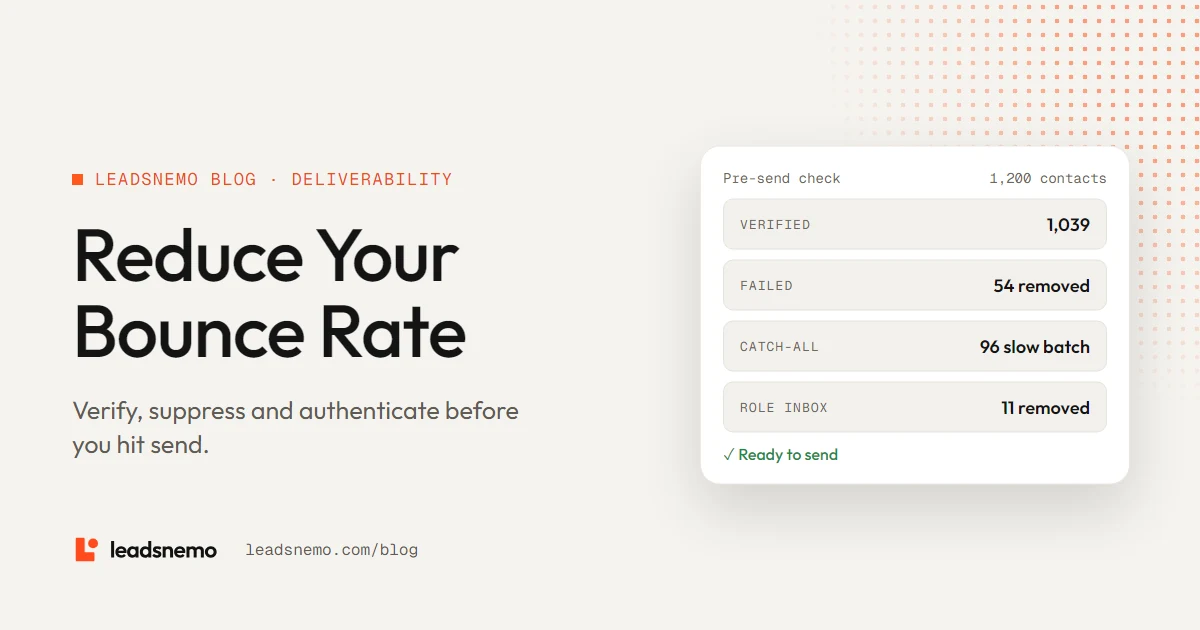
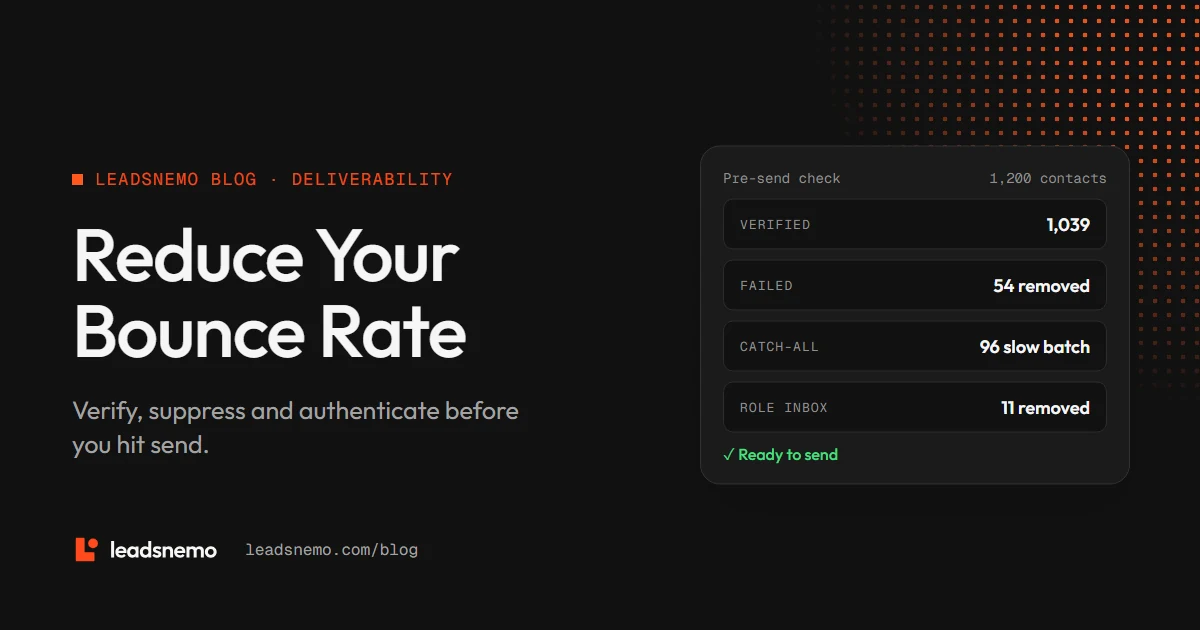
- List size
- 1,200 contacts
- Failed verification
- 54 removed
- Catch-all domains
- 96 moved to a slower batch
- Role addresses
- 11 removed
- Sent in first wave
- 1,039
5. Authenticate your sending domain
Authentication does not stop bounces from bad addresses, but missing authentication causes rejections of its own. Gmail’s sender guidelines require every sender to set up SPF or DKIM, use TLS and have valid forward and reverse DNS. Senders of 5,000 or more messages a day to Gmail must set up SPF, DKIM and DMARC, keep the spam rate reported in Postmaster Tools below 0.3% and support one-click unsubscribe for marketing messages. Yahoo’s sender best practices set matching rules for bulk senders: implement both SPF and DKIM, publish a valid DMARC policy and keep the spam rate below 0.3%. DMARC itself is now defined in RFC 9989, which made RFC 7489 obsolete.
Microsoft applies similar rules. Outlook’s requirements for high-volume senders cover domains sending more than 5,000 emails a day and make SPF, DKIM and DMARC mandatory. Outlook began routing non-compliant messages from those domains to Junk on May 5, 2025, and Microsoft has said it will reject them at a later date.
| Record | What it does |
|---|---|
| SPF | Lists the servers allowed to send mail for your domain |
| DKIM | Signs each message so receivers can confirm it was not altered |
| DMARC | Tells receivers what to do when SPF or DKIM fails, and sends you reports |
Many teams also send cold email from a separate subdomain or secondary domain, so a reputation problem in outreach does not affect invoices and support email on the main domain.
6. How LeadsNemo helps
LeadsNemo shows you who matches your filters before you spend anything, and a verified corporate email costs 1 credit to reveal. If a revealed email turns out to be invalid, you can flag it for a credit replacement. API users can request only verified addresses with the email_status=verified parameter, described in the API docs.
New accounts get 50 free credits. Filtering is free, and invalid emails can be flagged for a credit replacement.
Conclusion
Bounces come mostly from stale data, so the fix starts before you send: verify every list right before a campaign, suppress hard bounces at once, cap soft-bounce retries and treat catch-all domains with care. Authenticate your domain to meet Gmail and Outlook rules, and keep outreach on a domain you can afford to protect.
Frequently asked questions
What is the difference between a hard bounce and a soft bounce?
A hard bounce is a permanent failure, usually because the mailbox does not exist, and is reported with a 5.x.x status code. A soft bounce is temporary, such as a full mailbox, and uses a 4.x.x code.
How do I reduce my cold email bounce rate?
Verify your list right before each campaign, remove hard bounces after the first failure, cap retries on soft bounces, handle catch-all domains in small batches and re-verify any list older than a quarter.
Does SPF, DKIM and DMARC reduce bounces?
They prevent rejections caused by missing authentication, and Gmail and Outlook require them from high-volume senders. They do not fix bounces from addresses that no longer exist.
What happens if I flag an invalid email in LeadsNemo?
If a revealed email or phone number turns out to be invalid, you can flag it for a credit replacement under the refund policy.